


Cómo funciona
After downloading, extract Windows Update Blocker to your desired location, then run it
El ícono de estado mostrará el estado del servicio Windows Update. Para bloquear actualizaciones automáticas, elige "Disable Service" y pulsa "Apply Now". Proteger la configuración del servicio evita cambios no controlados (recomendado).
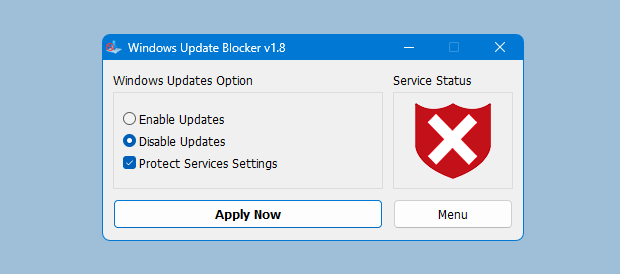
Cómo bloquear cualquier otro servicio y proteger la configuración
Windows Update Blocker New version allow users to add any other service into Wub.ini file to block it , first please edit Wub.ini file and add your desired service name under the "dosvc=2,4" line , for example if you want to block "Windows Update medic Service" Please abre Servicios y encuéntralo
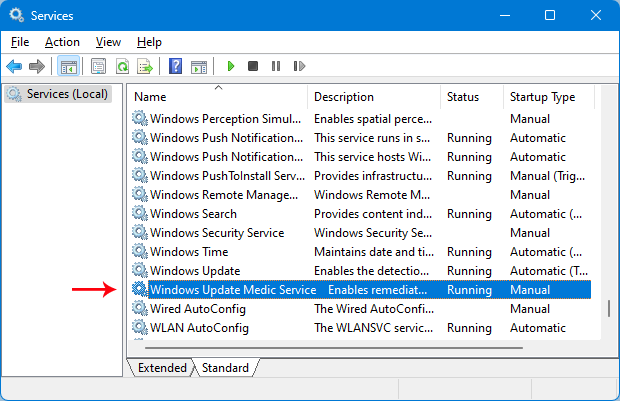
luego haz clic y copia el nombre del servicio
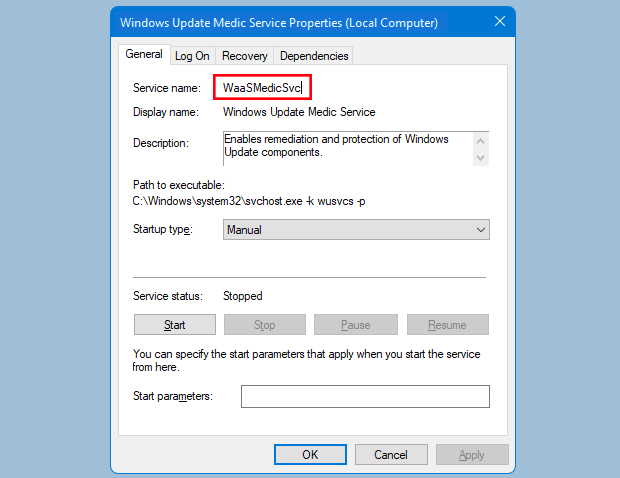
escribe o pega el nombre del servicio bajo la línea dosvc=2,4
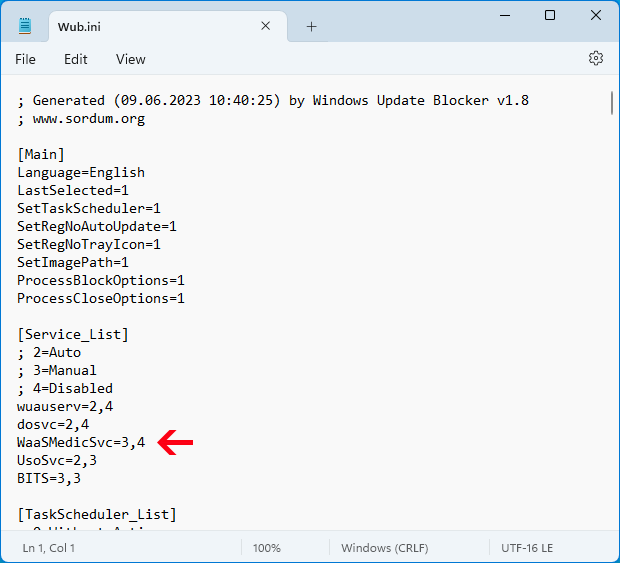
Finally open Windows Update Blocker and use "Apply now" button.
Si deseas eliminar un servicio agregado más tarde, sigue estos pasos:
- Abre Windows Update Blocker, elige habilitar servicio y pulsa Apply now.
- Elimina la línea del servicio en Wub.ini
- Ahora puedes elegir desactivar el servicio y proteger la configuración
Importantee
If the windows update service doesn't start or if there is a problem even though you have enabled windows updates, please restart your system and try again.
Cuando se apagan las actualizaciones, algunos procesos pueden intentar repararlas y dañarlas.
Usa el Solucionador de problemas de Windows Update de Microsoft si no abre tras reiniciar.
Wub no bloquea las actualizaciones de Microsoft Defender.
Cambios en registro y servicios
Windows Update Blocker ajusta servicios de Windows Update y claves de directiva para un control seguro.
A continuación se muestran entradas típicas que se aplican al activar o desactivar las actualizaciones; puedes copiarlas para verificar.
:: Service controls
sc stop wuauserv
sc config wuauserv start= disabled
sc stop WaaSMedicSvc
sc config WaaSMedicSvc start= disabled

:: Policy registry keys
reg add "HKLM\SOFTWARE\Policies\Microsoft\Windows\WindowsUpdate\AU" /v NoAutoUpdate /t REG_DWORD /d 1 /f
reg add "HKLM\SOFTWARE\Policies\Microsoft\Windows\WindowsUpdate" /v DisableOSUpgrade /t REG_DWORD /d 1 /f