


How it works
After downloading, extract Windows Update Blocker to your desired location, then run it
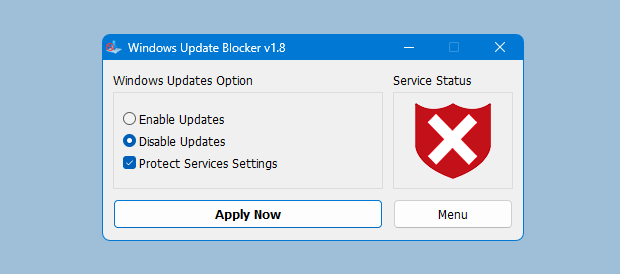
service status icon will show your windows Update service status , if you want to block Automatic Windows Updates Choose "Disable Service" And click "Apply Now" Button , Protect service setings can prevent Uncontrolled change (Recommended).
How to block any other service and protect the settings
Windows Update Blocker New version allow users to add any other service into Wub.ini file to block it , first please edit Wub.ini file and add your desired service name under the "dosvc=2,4" line , for example if you want to block "Windows Update medic Service" Please open services and find it
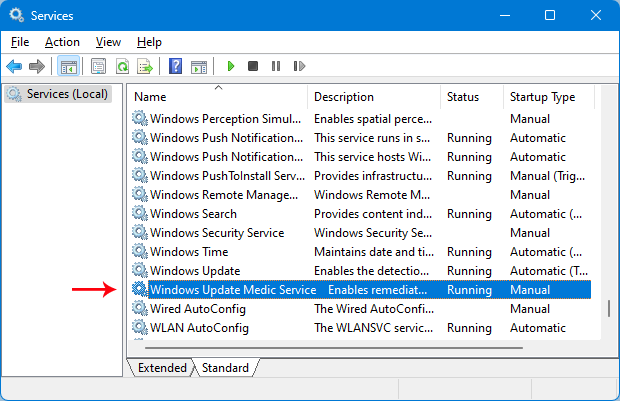
then click on it and copy the Service Name
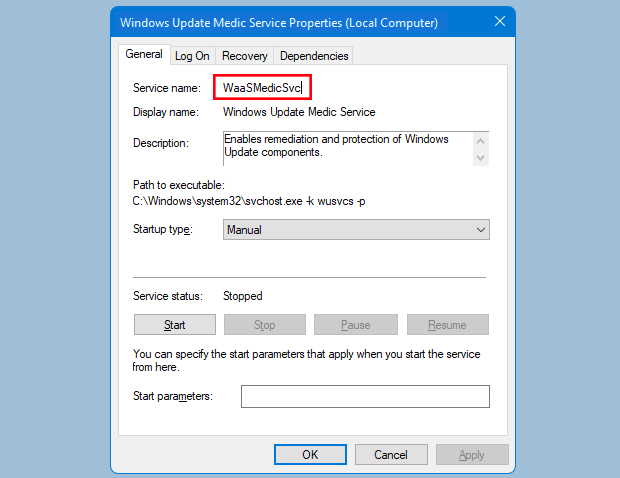
Write or paste the service name under the dosvc=2,4 line
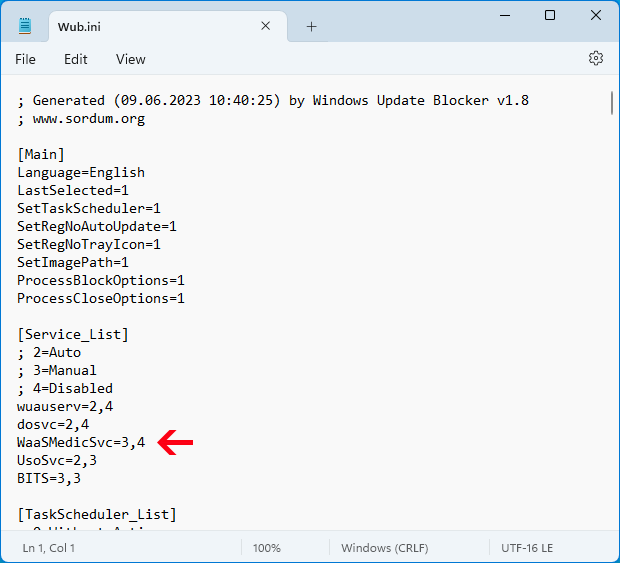
Finally open Windows Update Blocker and use "Apply now" button.
If you want to delete recently added service after a while please follow these steps:
- Open Windows Update Blocker and choose enable service option then use Apply now button.
- Delete your desired service line from the Wub.ini file
- Now you can choose disable service and Protect service settings options
Important
If the windows update service doesn't start or if there is a problem even though you have enabled windows updates, please restart your system and try again.
When windows updates are turned off, some windows processes or programs may try to open and repair Windows updates, resulting in windows update being damaged.
Please use the Windows Update Troubleshooter from Microsoft if the updates do not open after restarting the system.
Wub software does not block Microsoft defender updates.
Registry & Service Changes
Windows Update Blocker adjusts Windows Update services and policy keys for safe control.
Typical entries the tool toggles when you enable or disable updates. Copy if you need to verify the changes.
:: Service controls
sc stop wuauserv
sc config wuauserv start= disabled
sc stop WaaSMedicSvc
sc config WaaSMedicSvc start= disabled

:: Policy registry keys
reg add "HKLM\SOFTWARE\Policies\Microsoft\Windows\WindowsUpdate\AU" /v NoAutoUpdate /t REG_DWORD /d 1 /f
reg add "HKLM\SOFTWARE\Policies\Microsoft\Windows\WindowsUpdate" /v DisableOSUpgrade /t REG_DWORD /d 1 /f